

Users can add SRs to the Cart to create multiple SRs at a time. The option of adding an SR to the Cart is available if configured by Administrator. For more information, see Configuring Service Request Management Module in the Service Management Online Help. You can view all the Cart items added to the Cart in MY CART ITEMS page and raise multiple SRs at a time.
To view or update My Cart Items:
Click  icon on the Quick Action bar of the SUMMIT Application.
All the SRs added to Cart are displayed on the MY
CART ITEMS page.
icon on the Quick Action bar of the SUMMIT Application.
All the SRs added to Cart are displayed on the MY
CART ITEMS page.
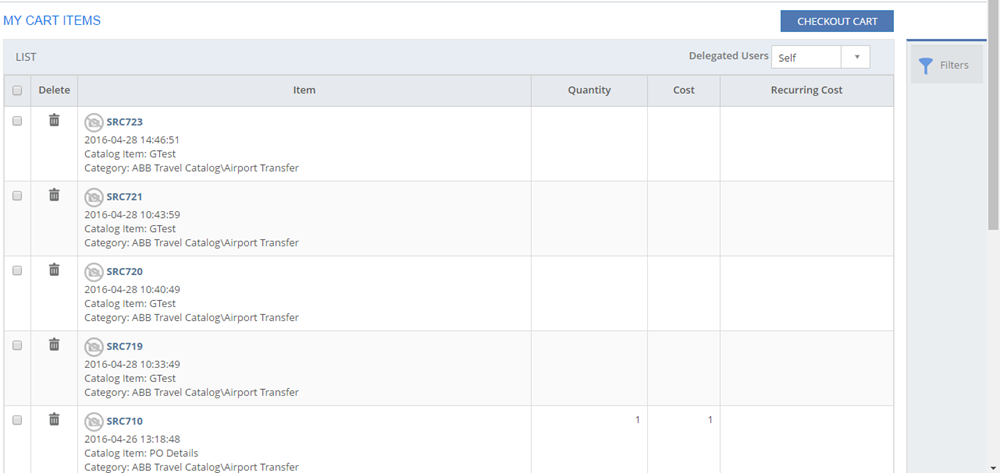
Figure: MY CART ITEMS page

Figure: FILTERS pop-up page
The following table describes the fields on the MY CART ITEMS page:
| Field | Description |
| Tenant | Select a Tenant from the drop-down list. |
| Category | Select the category of the Cart item. |
SRC ID |
Specify the Service Request Cart ID range in the From and To fields. |
| Log Date | Specify the SR log date range in the From and To fields. |
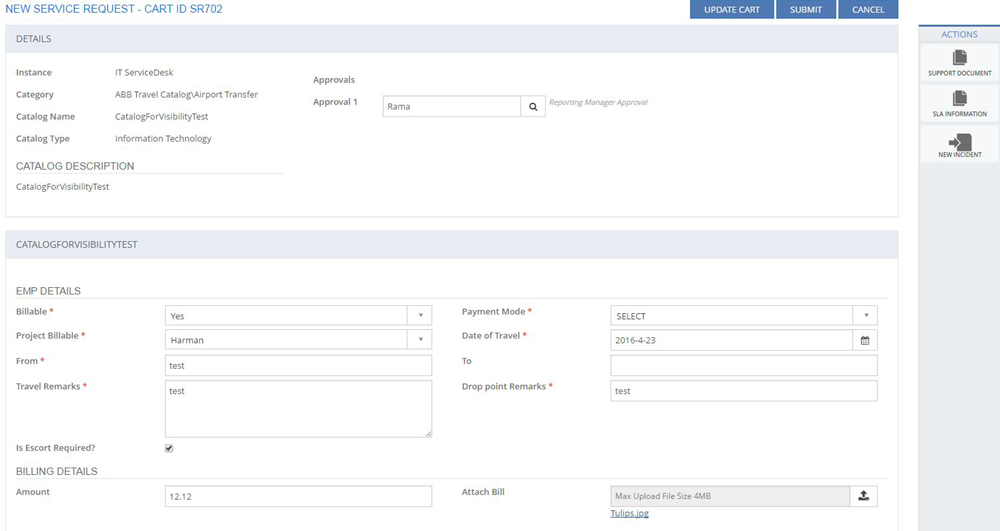
Figure: New Service Request - CART ID page